Shanna Martin smiles in front of a bright blue plaid background. Text reads “Tech Tools for Teachers Podcast – Episode 227 – Creative Brain Breaks for Cold Days.”

Creative Brain Breaks for Cold Days

Two Simple Creativity Tools for Indoor Recess (and Beyond)

February is here, it’s freezing, and indoor recess has officially taken over. When kids need movement, creativity, or just something different—without another long explanation—simple tools matter.

In Episode 227 of the Tech Tools for Teachers Podcast, we share two no-login, no-setup, instantly engaging creativity tools that work on Chromebooks, iPads, and laptops:

BoMoMo
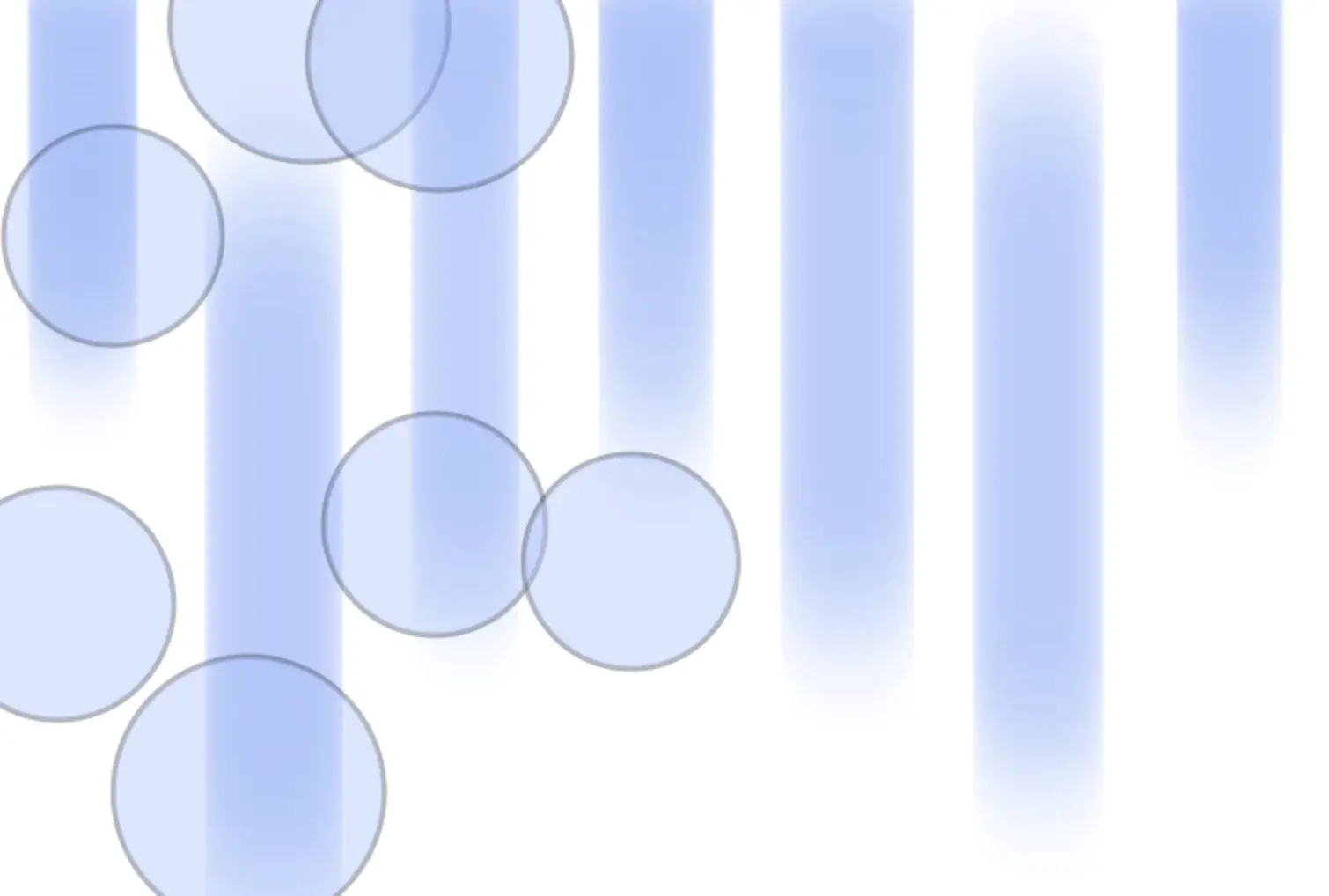
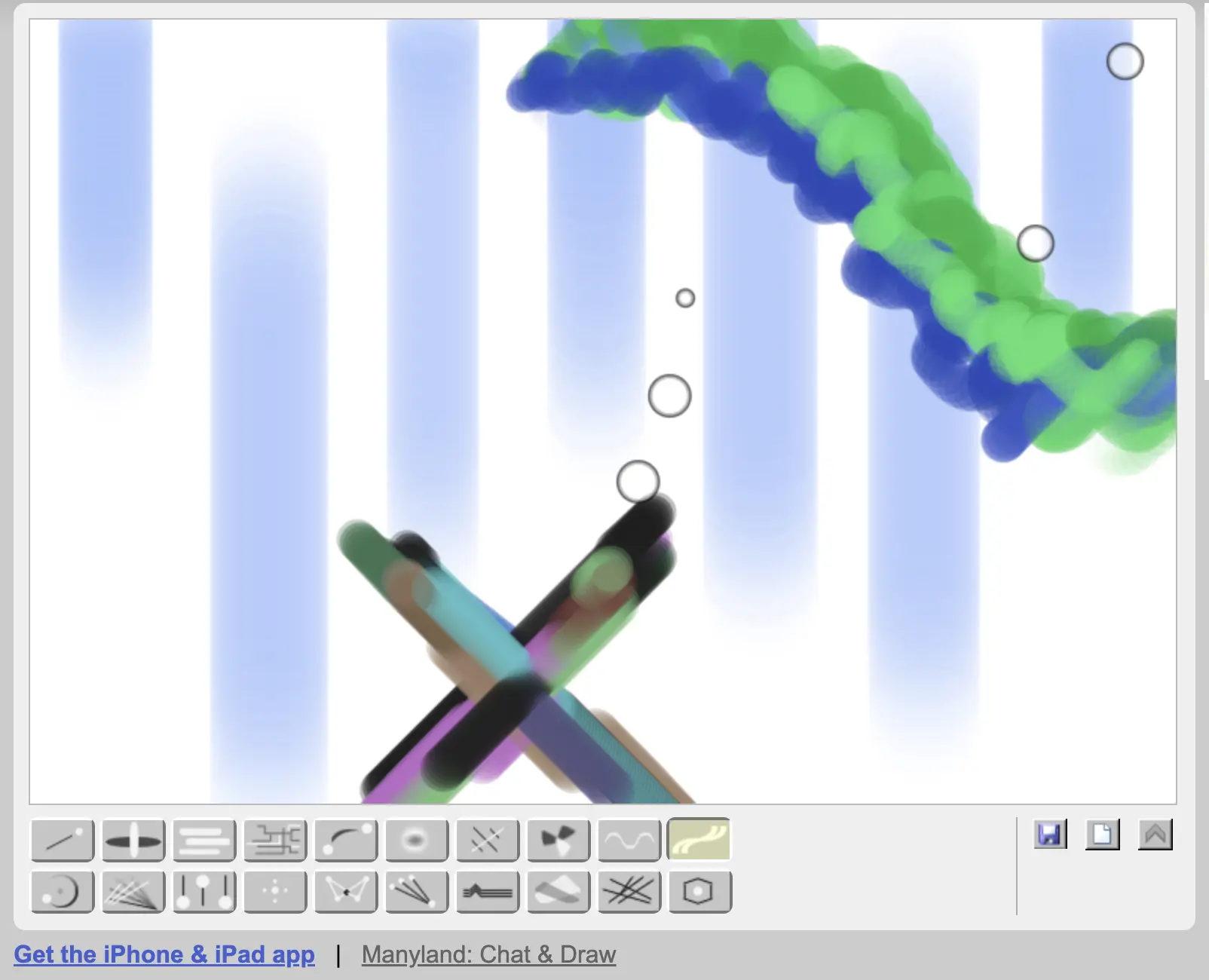
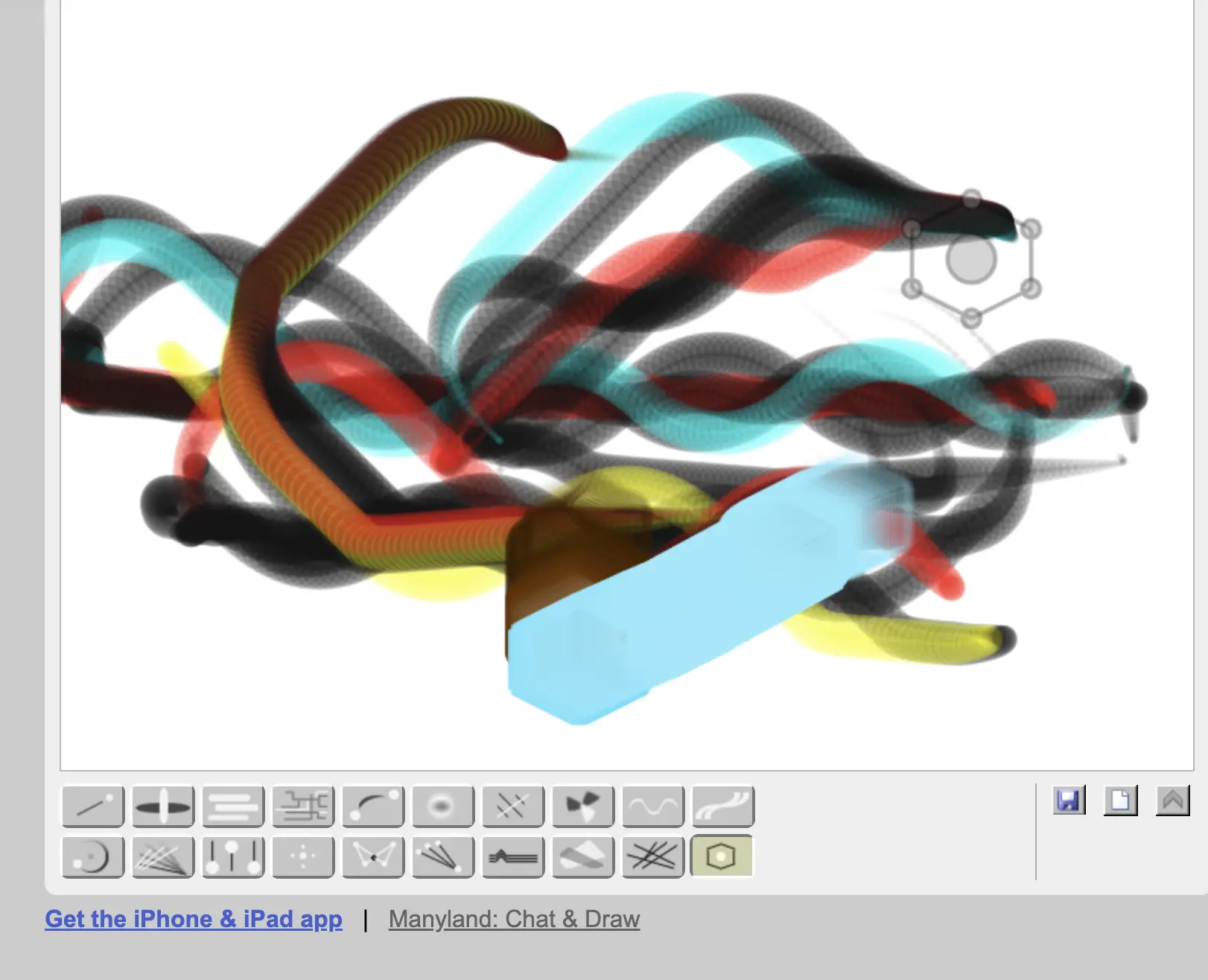
BoMoMo is abstract art at its finest. Students simply click and drag to create colorful, flowing designs that react in real time. There’s no “right” answer, no instructions to memorize, and no pressure to make something perfect.

It’s ideal for:

  • Quick brain breaks
  • Indoor recess activities
  • Abstract art + storytelling prompts
  • Creating simple slide backgrounds

Teachers can even use BoMoMo to design clean, custom Google Slides backgrounds by saving or screenshotting designs and matching fonts and colors.

Sketchpad (Sketch.io)
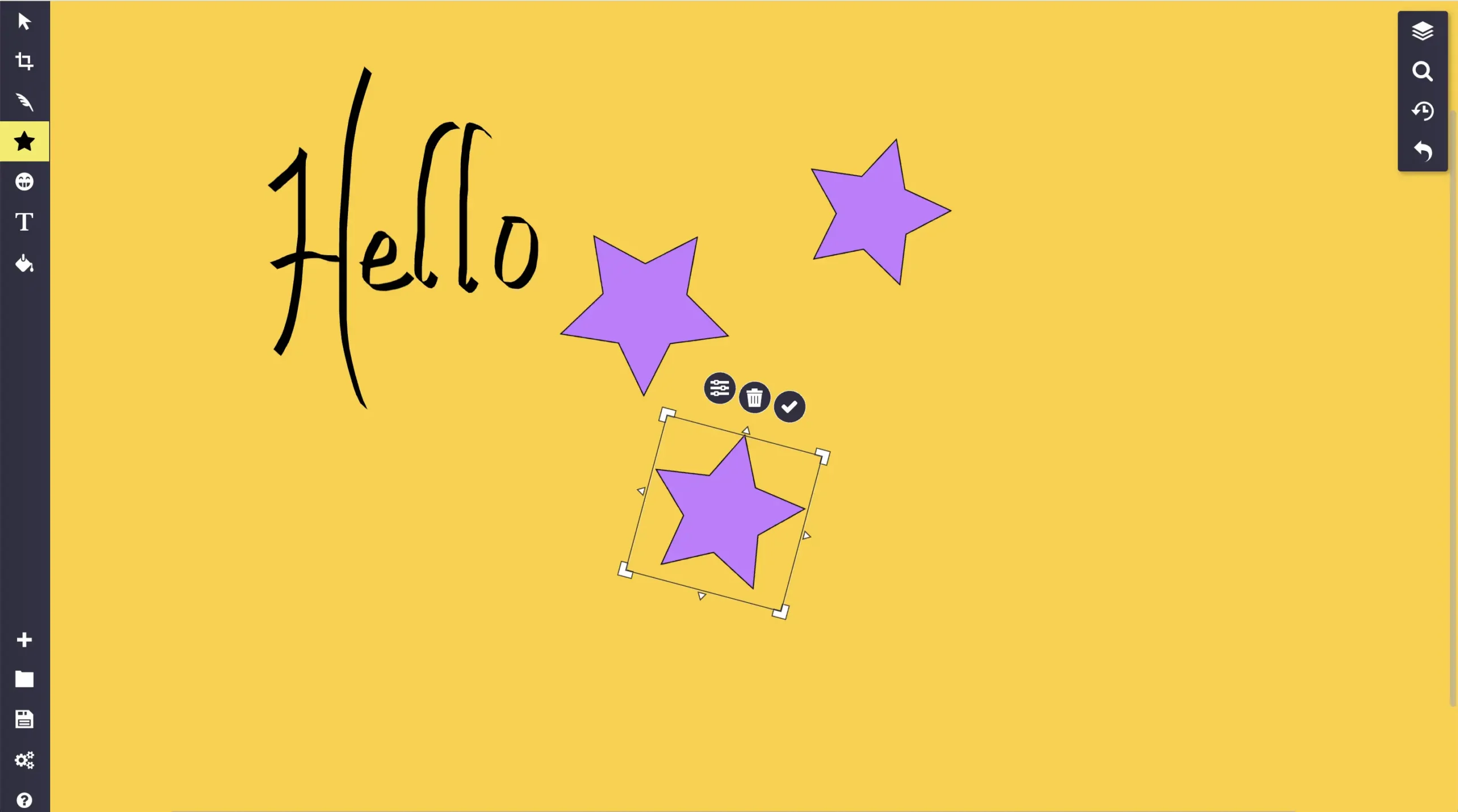
Sketchpad is a straightforward digital drawing and design space that lets students just start creating. No accounts. No tutorials. Just a canvas and intuitive tools.

Students can:

  • Design posters and diagrams
  • Create character sketches or story maps
  • Draw science visuals or concept webs
  • Export work as JPG, PNG, PDF, or SVG

Bonus: SVG export makes this a great option for Cricut users and makers.

Both tools are perfect for:

  • Indoor recess
  • Fast finishers
  • Creative warm-ups
  • Staff meetings
  • Any moment when students need to reset without chaos

Simple tools. Big creativity. Cold-day approved.

— Shanna

[00:00:00] Shanna Martin: Thanks for listening to the Tech Tools for Teachers podcast, where each week we talk about a free. Piece a two of technology that you can use in your classroom. I’m your host, Shanna Martin. I’m a middle school teacher, technology and instructional coach for my district,

[00:00:32] Fuzz Martin: and I’m our producer and husband, Fuzz Martin.

[00:00:34] Fuzz Martin: And if I didn’t do this, the show would go NoMo.

[00:00:40] Shanna Martin: That’s pretty funny. Good work.

[00:00:43] Fuzz Martin: Thank you.

[00:00:44] Shanna Martin: So we’re on episode 2 27.

[00:00:50] Fuzz Martin: Mm-hmm.

[00:00:51] Shanna Martin: And it is freezing.

[00:00:52] Fuzz Martin: Yes.

[00:00:52] Shanna Martin: And it is February.

[00:00:54] Fuzz Martin: It is our favorite month. Said, no Wisconsin I’d ever. Um, and you’ll understand what the go NoMo piece means in a second, so

[00:01:03] Shanna Martin: it’ll

[00:01:03] Fuzz Martin: get there. It’s funny to us right now. Hopefully it’ll be funny to you later if you go back and listen to the episode again, because I know you all do

[00:01:11] Shanna Martin: over and over again.

[00:01:12] Fuzz Martin: Over and over again.

[00:01:14] Shanna Martin: So we’re here and it’s February and I, depending on where you are. Mm-hmm. I, I know I have fabulous listeners all over the place, but where we are right now, it’s cold and our kids are on week two of indoor recess. Yeah. And I feel so bad for. The supervisors of indoor recess at our school, at least, they kind of rotate in and on the gym a little bit, and then they get to go to the library, so they get to leave their classrooms.

[00:01:43] Shanna Martin: But not everybody has that opportunity during indoor recess. Yeah, and so I’ve got a few things that might keep ’em entertained. Yeah. At least for five extra minutes.

[00:01:55] Fuzz Martin: Yeah. For those of you who live in warmer climates, we’ve been at like. A high of 10 degrees Fahrenheit. Uh, like every,

[00:02:04] Shanna Martin: for three weeks.

[00:02:05] Fuzz Martin: Yeah, for three weeks straight.

[00:02:05] Fuzz Martin: Like we were, as we’re recording this, it is sunny and 20 degrees Fahrenheit. Actually, I think it’s actually only 19 degrees Fahrenheit and it feels warm and pleasant. Like spring us. Yes.

[00:02:17] Shanna Martin: It’ss something. Yeah. So, yes. Ways to, so this week we’re looking at some things to help your kids’ creativity. And they’re tools that I actually use all of the time as like with my students, but also as a teacher.

[00:02:34] Shanna Martin: Like I find these tools very useful. Mm-hmm. So you can use them individually for yourself. Also very entertaining for students. We’re talking about two different sites today we’re gonna talk about Bo Momo and we’re gonna talk about Sketchpads, so I’ll talk about both of them. Okay. They’re both super easy to use, like there’s no setup, there’s no sign, and you literally just go to the website and it works, which is great.

[00:02:54] Shanna Martin: They’re easy for students of any age to use, so you could, if your students, you know, are on iPads or if they’re on Chromebooks, like it doesn’t, it doesn’t matter, they would easily be able to use them.

[00:03:04] Fuzz Martin: Yep.

[00:03:04] Shanna Martin: They’re both super engaging. And can be used for all different content areas. And I’ll kind of explain that ’cause they are art based, but you can use ’em in different content areas.

[00:03:12] Shanna Martin: They’re a great brain break if we all just need to like, do something. And I really, really use these all the time, which is funny. It some of those tools that you just go back to all of the time I have talked about bomo like way back in the day. I think episode. Like 72 or something. I have talked about it before.

[00:03:31] Shanna Martin: It hasn’t changed much, which is actually really great for this site because if you go to, it’s bo momo.com, so B-O-M-O-M o.com, there’s usually an add or two. But you just see these little dancing dots on the screen.

[00:03:46] Fuzz Martin: Yep.

[00:03:47] Shanna Martin: And you just drag your mouse and then they create like fun little. Designs? Mm-hmm.

[00:03:56] Shanna Martin: It’s very just like abstract art. And if you click across the bottom, the dots will do different things. So just click and drag. And so like now they’re going up and down, and then they kinda go side to side. So you click on it and your mouse helps guide the art across the bottom of the screen.

[00:04:17] Fuzz Martin: Oh yeah.

[00:04:17] Shanna Martin: Look at that. Isn’t that fun?

[00:04:18] Fuzz Martin: It is fun.

[00:04:19] Shanna Martin: It is worth just going to, it’s kind of like a grate. Brain break as an adult. Mm-hmm. Or just like a, like, just clear your mind and kind of just create something, but it doesn’t actually turn into anything. It’s just some very cool abstract art.

[00:04:33] Fuzz Martin: Yeah,

[00:04:34] Shanna Martin: it’s fun. It just, and again, click and drag.

[00:04:37] Shanna Martin: There’s different patterns it’ll make if you love it, you can click the little save button and it will save and it just makes a little jpeg for you. If you don’t love it, you just click the new little piece of paper in the bottom right hand corner and it just gives you a new sheet.

[00:04:52] Fuzz Martin: Oh yeah.

[00:04:52] Shanna Martin: Yeah. So it’s very, it’s very simple, but very, just a great way to clear your mind for students.

[00:04:59] Shanna Martin: They make all kinds of things and it just like, they could make some abstract art and then tell a story about it. They can make some abstract art and make up something like, this is a. You know, horrific storm happening. Okay, well, tell me more about it. This is a monster eating a fish. Like right now, it looks like I have, like an eel on my screen.

[00:05:20] Shanna Martin: I don’t know. It just created it.

[00:05:22] Fuzz Martin: Mine looks like something that, people would pay. Hundreds of thousands of dollars for at a gallery.

[00:05:27] Shanna Martin: Great. We’ll save it. Yeah. And let’s see if we can sell it some money up.

[00:05:31] Fuzz Martin: There you go.

[00:05:32] Shanna Martin: Um, they have actually added a couple of different little wiggly tools since last time I talked about it.

[00:05:37] Shanna Martin: So there is a few different ones, but again, it’s just so simple. Yeah. And it’s a great way to like keep kids busy. For like a quick five minutes or a piece of art. But what I wanna talk about actually is how I use it personally. So I have to put together a lot of presentations for various PD opportunities for, sometimes I do webinars, different things, and I use a lot of pre, like slides, carnival and slides. Those were things like that. I use those often, but sometimes I want a clean white screen with just a certain like design on the bottom to keep it simple. And I don’t wanna spend ages making a slide like I don’t wanna puts with it. Sure. But I want it to look different. So I will use Bo Momo, create a cool design, screenshot it, and then I drop that in the back of all my Google slides and I just make my fonts match.

[00:06:31] Fuzz Martin: Oh yeah. Momo, that’s cool.

[00:06:32] Shanna Martin: And then I have like simple, but like. A little loopy design or something across the background. Yeah, just to jazz it up so it’s not just a solid color slide. So it’s a really easy way actually to make Google Slide backgrounds, which honestly is how I use this the most. My students use it for creating things and for.

[00:06:56] Shanna Martin: Building backgrounds. I have taught my students how to build backgrounds for their Google Slides. I’m like, Hey guys, let’s, instead of using a a thousand emojis across the background, can we just like, make something simple and it looks artistic? Mm-hmm. And make it, screenshot it, drop it as the image, and drop it as your background, and then it will make like a very cool, simple background.

[00:07:14] Shanna Martin: Yeah. While they’re putzing on their Chromebooks. So. Again, Bo Momo, straightforward, very simple, easy to play with. I mean, you’re entertained after about 10 seconds of doing this.

[00:07:25] Fuzz Martin: Me?

[00:07:26] Shanna Martin: Yeah. You and everybody else. It doesn’t take long.

[00:07:29] Fuzz Martin: No, it doesn’t.

[00:07:29] Shanna Martin: But also like you say, all right, everybody, we need a creative break.

[00:07:35] Shanna Martin: They’re on their computers and. They’re still on their computers instead of like getting off the screen. It’s a great way, just like everyone go to Bo Momo, make something like clear your mind and then start over, and it’s just a cool thing to putts with. So Bo Momo, anyone can do it. It easily works on like iPads.

[00:07:54] Shanna Martin: If you can go on your iPhone, there’s like, there’s an app for it. There’s an app for that. But they can do it on their Chromebooks very easily.

[00:07:59] Fuzz Martin: Anyone can do it. Everyone is doing it and if you don’t do it, you’ll get fomo.

[00:08:04] Shanna Martin: Oh my goodness.

[00:08:06] Fuzz Martin: Took me a second to get there, but I got there.

[00:08:10] Shanna Martin: You did good work.

[00:08:12] Shanna Martin: Thank you. So omo.com was our first one. It’s a great way to create some abstract art. It’s very easy to use and it’s entertaining for all. Also great in a staff meeting, if you’re like, Hey, everybody, like, we’re just gonna create something quick. As a group, whose piece of art is your favorite?

[00:08:29] Shanna Martin: Download it. Great. We’re gonna put it as the background of our newsletter. I don’t know. But you can do things like that with it too. So Bo Momo, simple, easy, check it out.

[00:08:37] Fuzz Martin: Mm-hmm.

[00:08:39] Shanna Martin: The second one I’m talking about today is sketchpad. There’s a lot of sketching options out there. I understand that. And you can get paid versions of things, and there’s lots of options.

[00:08:53] Shanna Martin: If you just go to sketch, SKE, TC h.io, you have a sketching board.

[00:09:01] Fuzz Martin: Yeah, sketch pad.

[00:09:02] Shanna Martin: It’s a sketch pad. I love this because again, no setup. Students can go on it. It’s super easy. They can create art or create all kinds of things. Posters, and I know there’s ones with templates out there, but if you want kids just like simple, easy, I don’t have to explain it to you, you don’t have to click a bunch of links.

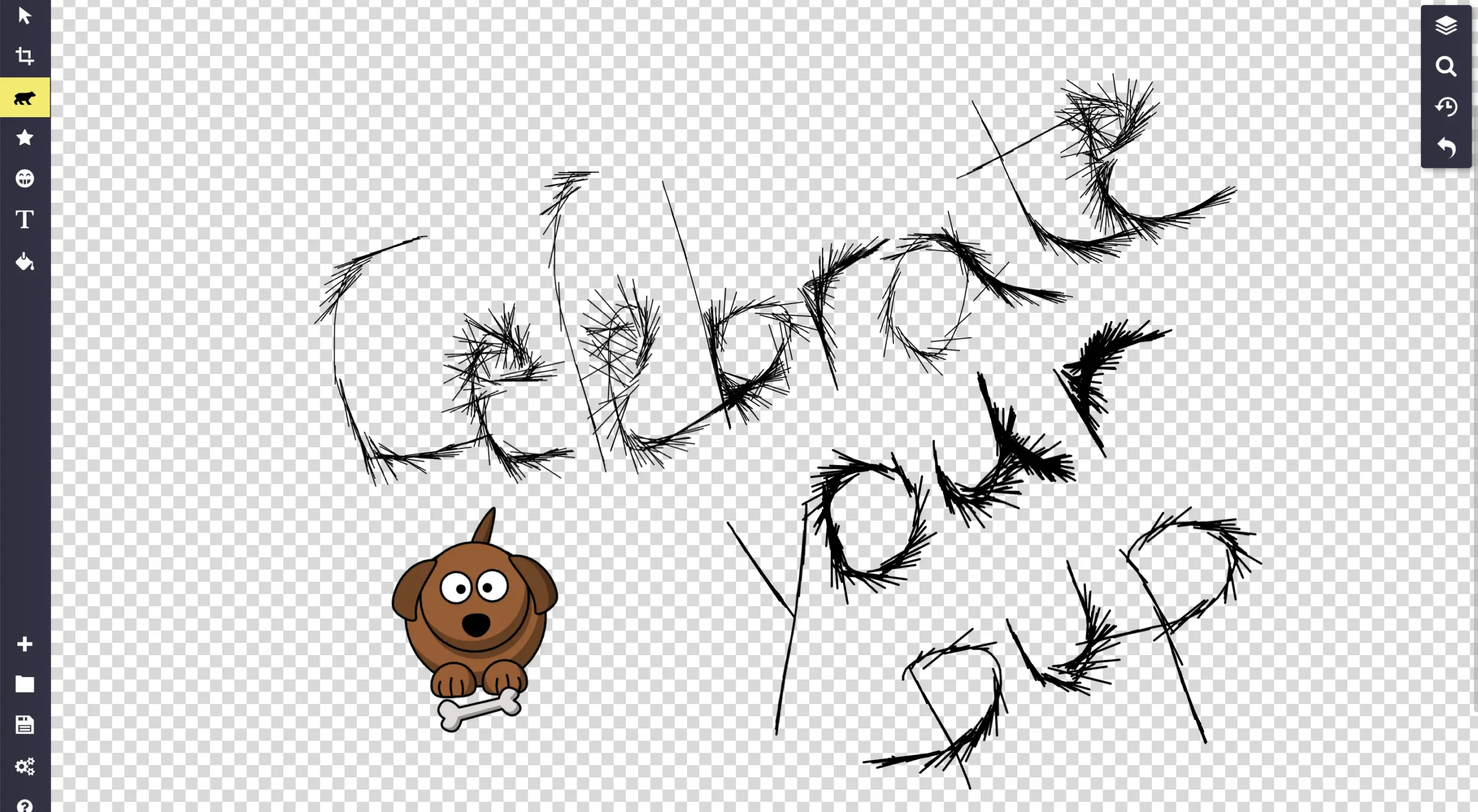
[00:09:20] Shanna Martin: Here’s a thing that you can just create with, it’s great. I created like i’s putzing with this and you have lots of options. So your toolbar is like on the left hand side. You can crop and resize, you can add paint layers. So it’s just like any other type of sketching tool. What’s cool about it is it’s very easy to use.

[00:09:43] Shanna Martin: So if you want a star shape, you can add star shapes. If you want to double it up, add different overlays. Like you have all those options, but there’s not a ton of. Like, there’s not a huge learning curve with it. It will just say like, what do you want to do? You wanna darken your background? Do you wanna fill it with this color?

[00:10:01] Shanna Martin: Click on it, pick your color. Line width so you can make all those adjustments. There are of course, I mean, you can upload your own image to edit, but there are layers of cartoons. So

[00:10:14] Fuzz Martin: yeah,

[00:10:15] Shanna Martin: the cow, thanks. The cow is so cute. Mm-hmm. I just made a sign that says, celebrate your pup. And I put a little dog on there.

[00:10:22] Shanna Martin: There’s all kinds of little people, emojis, so students can definitely create character stories, outlines. They could web, they could do story webs, they can create posters, they can create all kinds of cute things. They also kind of, my favorite thing is where you can go in to like write, text, or pick different lines.

[00:10:43] Fuzz Martin: Mm-hmm.

[00:10:43] Shanna Martin: So if you wanna add a paint layer and use a pen. You have options. Do you want like a brush? So you want your, your drawing to look like a paintbrush. You want calligraphy? Well, if you scroll down a little bit, one of the options for your font writing or writing your pen drawing, I should say, is fur.

[00:11:03] Shanna Martin: Fur. So I, I just made a Celebrate your pup using fur. Oh

[00:11:09] Fuzz Martin: yeah. Look at

[00:11:09] Shanna Martin: that as my pen.

[00:11:10] Fuzz Martin: Mm-hmm.

[00:11:10] Shanna Martin: And my letters look. Furry,

[00:11:14] Fuzz Martin: furry.

[00:11:14] Shanna Martin: So if your kids are drawing, they could add fur to something or spray paint or there’s just lots of cool options. Again, you can change your color, your width, all that kind of stuff.

[00:11:26] Shanna Martin: All those options are in there.

[00:11:27] Fuzz Martin: Hot tip, if you wanna make a straight line, hold the shift key while you draw.

[00:11:32] Shanna Martin: There you go.

[00:11:32] Fuzz Martin: Yeah.

[00:11:33] Shanna Martin: Well, that’s fun.

[00:11:34] Fuzz Martin: We’ll tip from here. Fuzz, I got nothing.

[00:11:38] Shanna Martin: So you could make all kinds, like again, kids can do any content area, any, most grade levels. I would say probably third grade on up.

[00:11:46] Shanna Martin: But if they’re able to like work a mouse and a keyboard, they’d be fine. But. Posters and like I said, things for literature class, if they’re creating like a character drawings or character, character sketches, those type of things. Mm-hmm. For science, they can put out their diagrams, they can make little DNA molecules, like, there’s so many different cool ways that you could do this.

[00:12:06] Shanna Martin: Again, just go to the website and you’re automatically using it. The other really cool thing about it is you’re, you can, if you keep going down that left hand mm-hmm. Like bar, you can export it into. Jpeg. D-N-G-P-D-F-S-V-G, download sketchpad. You can print them, but I think of my dear friends and their cricket.

[00:12:28] Fuzz Martin: Yeah. Oh yeah.

[00:12:29] Shanna Martin: And cricket files should be

[00:12:31] Fuzz Martin: our S VGs, right?

[00:12:32] Shanna Martin: They can be our jpeg, but yes, SVG is an option. Mm-hmm. So if you were a cricketer and wanna create something and then load that file in, you can also do that and you have it available to you. So as a teacher. And an adult that may just like to create things, you have those options as well.

[00:12:51] Shanna Martin: So that is all in there. And again, so easy to use and create and celebrate all of the different cool things that you can do.

[00:12:59] Fuzz Martin: Yeah,

[00:13:00] Shanna Martin: so Sketch io again,

[00:13:02] Fuzz Martin: nifty.

[00:13:03] Shanna Martin: Another quick tool. There’s a lot of ’em out there, but this one’s just really simple, which I appreciate without all of the. The directions. I don’t have to give a thousand directions.

[00:13:13] Shanna Martin: I can say, Hey, make a poster in this and then upload it to Google Classroom and then move on with life. That’s right. So sketch.io. So sketch bo momo and sketch.io are some ways to create some art, also build some things in for your classroom. And they’re fun.

[00:13:32] Fuzz Martin: They are.

[00:13:33] Shanna Martin: And they’re fun for everyone.

[00:13:34] Fuzz Martin: Yes indeed.

[00:13:36] Shanna Martin: So there you go. And there’s something to do while you’re stuck inside. While it’s freezing outside. There you go.

[00:13:41] Fuzz Martin: We should move.

[00:13:46] Shanna Martin: So there you go. Thanks for tuning in. This has been the Tech Tools for Teachers Podcast. If you ever have any questions, you can find me on Blue Sky Threads. Facebook, Instagram at Smartinwi. And if you wanna get more information and the links to the technology discussed in this episode, you can visit Smartinwi.com.

[00:14:03] Shanna Martin: If you’d like to support the show, please consider buying me a coffee or two. Visit. Buy me a coffee.com/ smartinwi or visit smartinwi.com and click on that cute little purple coffee cup. Your donations help keep the show going. New episodes each week. Thanks for listening. Go educate and innovate

[00:14:18] Fuzz Martin: The ideas and opinions expressed on this podcast and the smart and WI website are those of the authors, Shannon Martin, and none of her employer.

[00:14:24] Fuzz Martin: Prior to using any of the technologies discussed on this podcast, please consult with your employer regulations. This podcast offers no guarantee that these tools will work for you as described, but we hope they do.

More Posts

Tech Tools for Teachers podcast cover featuring host and the title “Start 2026 Off Coding!”

Start 2026 Coding!

Welcome to 2026 and the 225th episode of the Tech Tools for Teachers Podcast. It’s also year eight of the show! This week’s inspiration came

Promotional graphic for Episode 223 of the Tech Tools for Teachers podcast titled “Creative Classroom Time-Savers.” The image features host Shanna Martin smiling in front of a yellow plaid background. Text on the graphic reads “Tech Tools for Teachers Podcast,” “Episode 223,” and “Creative Classroom Time-Savers.”

Creative Classroom Time-Savers

December classroom energy is… a lot. Between holiday projects, shorter attention spans, and those weird pockets of downtime between events, it helps to have a